No Matching Version Found for @anthropic-ai/sdk: There Is No 1.x on npm (2026)
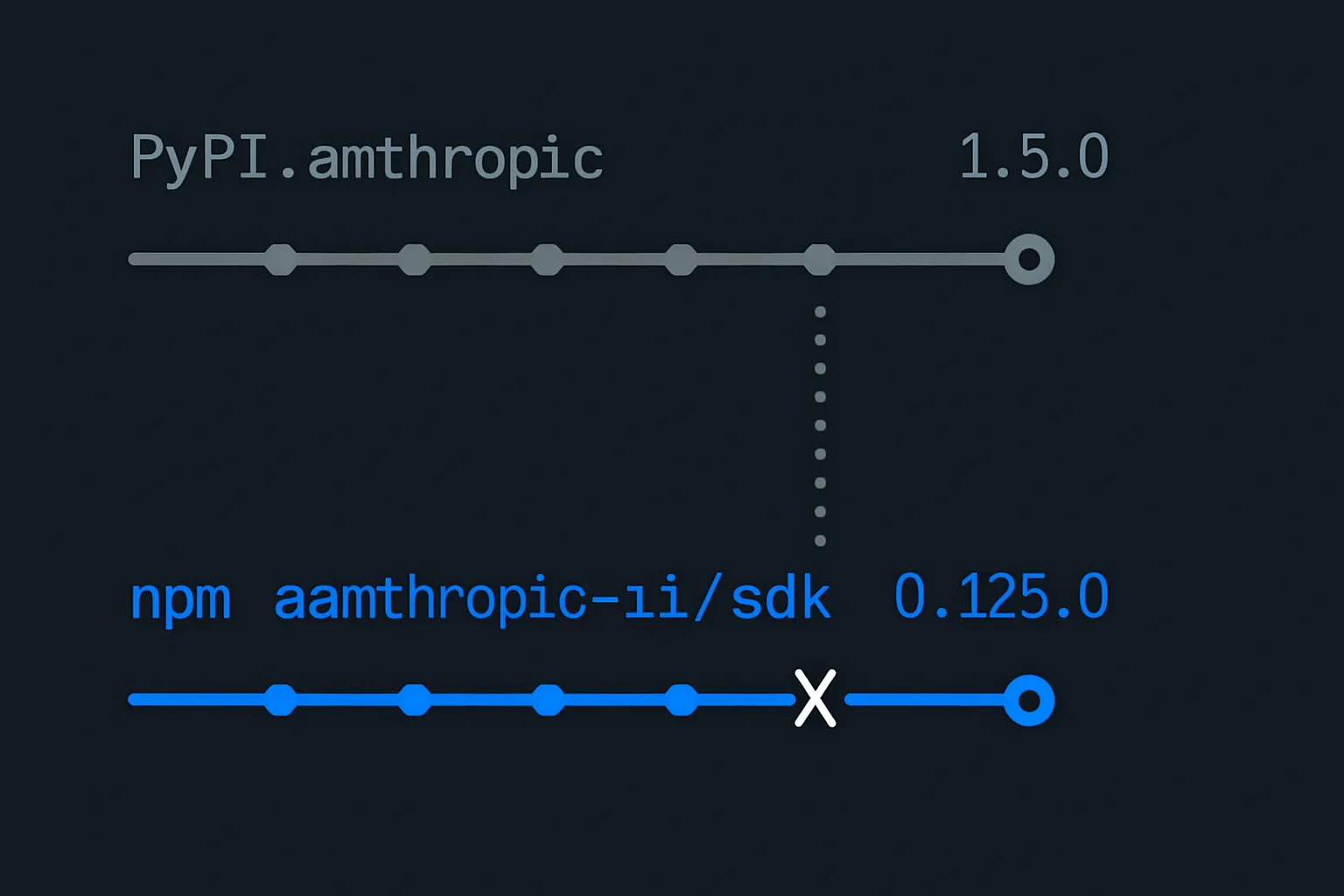
npm error notarget No matching version found for @anthropic-ai/sdk means you asked for a major that does not exist. Anthropic ships two SDKs on unrelated version lines: Python is on 1.5.0, npm has never left 0.x. Read from both registries, with the caret trap that follows.
Updated on October 7, 2026
On this page
Quick Answer (2026)
npm error code ETARGET
npm error notarget No matching version found for @anthropic-ai/sdk@^1.0.0.
npm error notarget In most cases you or one of your dependencies are requesting
npm error notarget a package version that doesn't exist.

@anthropic-ai/sdk on npm. There never has been. Anthropic ships two SDKs under one brand on two unrelated version lines, and the Python one is a major version ahead:

anthropic on PyPI is at 1.5.0. Its 1.0.0 landed 20 August 2026.

@anthropic-ai/sdk on npm is at 0.125.0, published 10 September 2026, after 204 stable releases that have never left major 0.
So the fix is one character: drop the 1. Install @anthropic-ai/sdk@^0.125.0, or just npm install @anthropic-ai/sdk and let the registry pick.
Everything below is read directly from both registries and reproduced on npm 11.6.0 with Node 24.8.0, in September 2026.
Reproduce it in ten seconds
npm install @anthropic-ai/sdk@^1.0.0
# npm error code ETARGET
# npm error notarget No matching version found for @anthropic-ai/sdk@^1.0.0.

npm install @anthropic-ai/sdk@^0.125.0
# added 7 packages in 1s
The second command is the control. If it succeeds and the first fails, nothing is wrong with your network, your registry mirror, your auth or your lockfile. You asked for a version that does not exist.
That distinction matters because ETARGET looks like a lot of other npm failures. A private-registry misconfiguration, an expired token or a proxy in the way all produce noisy npm errors too. notarget is the specific one that means the registry answered you correctly and the answer was no.
Why the two SDKs are not merely offset
The instinct is to assume the Python and TypeScript SDKs track each other and one is simply lagging. They do not track each other at all. Read from PyPI and the npm registry on 13 September 2026:
Scroll to see more
| SDK | Python (PyPI) | TypeScript (npm) |
|---|---|---|
| Anthropic | anthropic 1.5.0 | @anthropic-ai/sdk 0.125.0 |
| MCP | mcp 2.2.0 | @modelcontextprotocol/sdk 1.30.0 |
| OpenAI | openai 3.13.0 | openai 7.15.0 |
Look at the third row. The TypeScript package is four majors ahead of the Python one, the opposite direction to the two rows above it.
That is the actual rule, and it is worth internalising because it kills the shortcut: a version number you read in one language tells you nothing about the other. Not the number, not even which side is higher. These are separate repositories with separate release histories that happen to share a product name.
The 0.125.0 collision
This is the part that catches careful people, because the number you land on is a real number in both ecosystems and means opposite things.
Scroll to see more
| published | what it is | |
|---|---|---|
npm @anthropic-ai/sdk 0.125.0 | 10 September 2026 | the current, recommended release |
PyPI anthropic 0.125.0 | 19 August 2026 | the last 0.x, superseded the next day |

Two ecosystems, one version string, and it is simultaneously "newest" and "legacy" depending on which registry you are talking to.
The caret trap that follows
Once you correctly pin a 0.x package, the range operator you are used to changes meaning. This is standard npm semver, not an Anthropic quirk, but it bites here specifically because you have just been moved from a 1.x mental model to a 0.x one.
^1.5.0     resolves to    >=1.5.0 <2.0.0-0      minor and patch
^0.125.0   resolves to    >=0.125.0 <0.126.0-0  patch only
~0.125.0   resolves to    >=0.125.0 <0.126.0-0  identical to the caret
^0.125.0 and ~0.125.0 are the same range. Verified against the semver library directly: ^0.125.0 accepts 0.125.9 and rejects 0.126.0.
The practical consequence is that ^0.125.0 will not pick up 0.126.0. On a package releasing as often as this one, a caret you assumed was permissive is close to a hard pin, and you will stop receiving updates without any warning. If you want the minor bumps, say so:
{
  "dependencies": {
    "@anthropic-ai/sdk": "0.125.x || >=0.126.0 <1.0.0"
  }
}
Or accept the tight range deliberately and bump it on a schedule. Either is defensible. Drifting into it by accident is not.
It is not only the main SDK
The same shape appears twice more in the same toolchain, and both reproduce identically:
npm install @modelcontextprotocol/sdk@^2.0.0
# npm error notarget No matching version found for @modelcontextprotocol/sdk@^2.0.0.

npm install @anthropic-ai/claude-agent-sdk@^1.0.0
# npm error notarget No matching version found for @anthropic-ai/claude-agent-sdk@^1.0.0.

mcp package went 2.0.0 on 28 July 2026 and that migration was widely written up. The TypeScript SDK is still on 1.30.0. If you read a Python-side MCP 2.x migration note and carried the version number across, this is the error you get.
@anthropic-ai/claude-agent-sdk is at 0.3.270 as of 12 September 2026, and is a different package from @anthropic-ai/sdk with a different shape. Do not swap one for the other while trying to fix a version error.
How to pin, in order of preference
- Do not pin a major you have not checked.
npm install @anthropic-ai/sdkwrites whatever is current, and that is correct nearly always. - If you pin, read the registry first.
npm view @anthropic-ai/sdk versioncosts one second and is authoritative. - Never copy a version from a tutorial in another language. That is the whole cause of this error.
- Check your lockfile after any range widening, because a 0.x caret is narrower than you expect.
npm view @anthropic-ai/sdk version
npm view @modelcontextprotocol/sdk version
npm view @anthropic-ai/claude-agent-sdk version
If an LLM or a tutorial told you 1.x
This error has become more common, not less, and the reason is worth naming. Assistants trained or grounded on Python migration material will confidently suggest @anthropic-ai/sdk@^1.0.0, because the Python package really did go 1.x and the announcement was loud. The TypeScript package's non-event is not announced anywhere, because nothing happened.
There is no document to read that says "the TypeScript SDK did not release a 1.0". Absence is not published. The registry is the only source of truth, and it answers in one command.
Sources
Source, verbatim: "npm error notarget In most cases you or one of your dependencies are requesting a package version that doesn't exist."
Version figures read from the npm registry and PyPI on 13 September 2026. Range semantics verified against node-semver, whose caret rules are documented in the npm package.json reference. The OpenAI comparison row is read from the openai npm package.
For the Python side of the same divergence, see our walkthrough of the anthropic 1.x httpx2 switch. For a working TypeScript loop on the 0.x SDK, see streaming Claude tool calls in a TypeScript agent loop.

Written by
Sofia NievesSofia works on agent evaluation and reliability. She writes about measuring LLM systems before and after they reach production.
Frequently asked questions
What does npm error notarget No matching version found for @anthropic-ai/sdk mean?
It means the version range you asked for does not exist in that package on the npm registry. It is not an auth, network or lockfile problem. The usual cause in 2026 is asking for a 1.x of @anthropic-ai/sdk, which has never existed. The TypeScript SDK is still on major 0 and its current release is 0.125.0, published 10 September 2026.
Why is the Python anthropic package on 1.x when the npm one is on 0.x?
Because they are separate repositories with separate release histories that share a product name. The Python package anthropic released 1.0.0 on 20 August 2026 and is now on 1.5.0. The npm package @anthropic-ai/sdk has published 204 stable releases without ever leaving major 0. A version number in one language tells you nothing about the other.
Is the Python SDK always ahead of the TypeScript one?
No, and assuming so is the trap. For OpenAI the direction reverses: the npm openai package is on 7.15.0 while the PyPI openai package is on 3.13.0, four majors behind. The correct rule is that the two version lines are unrelated, not that one leads.
How do I find the right version to pin?
Ask the registry. Run npm view @anthropic-ai/sdk version, which is authoritative and takes a second. Better still, run npm install @anthropic-ai/sdk with no version and let npm resolve it. Never copy a version number out of a tutorial written for another language.
Why does my caret range stop picking up new versions on a 0.x package?
On a 0.x package the caret only allows the left-most non-zero digit to stay fixed, so a caret on 0.125.0 accepts 0.125.9 but rejects 0.126.0, and is identical to a tilde range. On a 1.x package the same caret would accept every 1.x minor. Verified against the semver library directly.
Does the same error happen with the MCP TypeScript SDK?
Yes, and for the same reason. The Python mcp package went 2.0.0 on 28 July 2026, while @modelcontextprotocol/sdk on npm is on 1.30.0. Asking npm for a 2.x of the TypeScript MCP SDK produces the identical notarget error. Note also that @anthropic-ai/claude-agent-sdk is a different package again, on 0.3.270.
Related tutorials

Invalid http_client argument: anthropic 1.x Runs on httpx2, and Two Cases the Guard Misses (2026)
TypeError: Invalid http_client argument means the anthropic Python SDK moved to httpx2 in 1.0.0. The rename is one import. The parts nobody mentions are that the guard printing that message only exists from 1.4.0, and that it cannot see your respx or OpenTelemetry layer at all (2026).

Stream Claude tool calls in a TypeScript agent loop (June 2026)
A complete TypeScript tutorial for the streaming agent loop on Claude: input_json_delta accumulation, multi-turn dispatch, AbortController cancellation, and the eager_input_streaming workaround for the verified 5 second first-content delay on tool use. About $0.03 per call with claude-sonnet-4-6 at June 2026 pricing.

AI Agent Memory: Long-Term Memory for a Claude Agent in TypeScript (2026)
A runnable 2026 tutorial: build short-term and long-term memory for a Claude agent in TypeScript with message buffers, rolling summaries, and a durable fact store. No vector database required.