How to Build an MCP Server in Python (2026 Tutorial)
A runnable 2026 tutorial: build a write-capable MCP server in Python with the official MCP SDK. Add tools with @mcp.tool(), back them with SQLite, test in the Inspector, and connect it to Claude for Desktop. Includes the 1.x and 2.x import difference and how to check which you have.
Updated on September 20, 2026
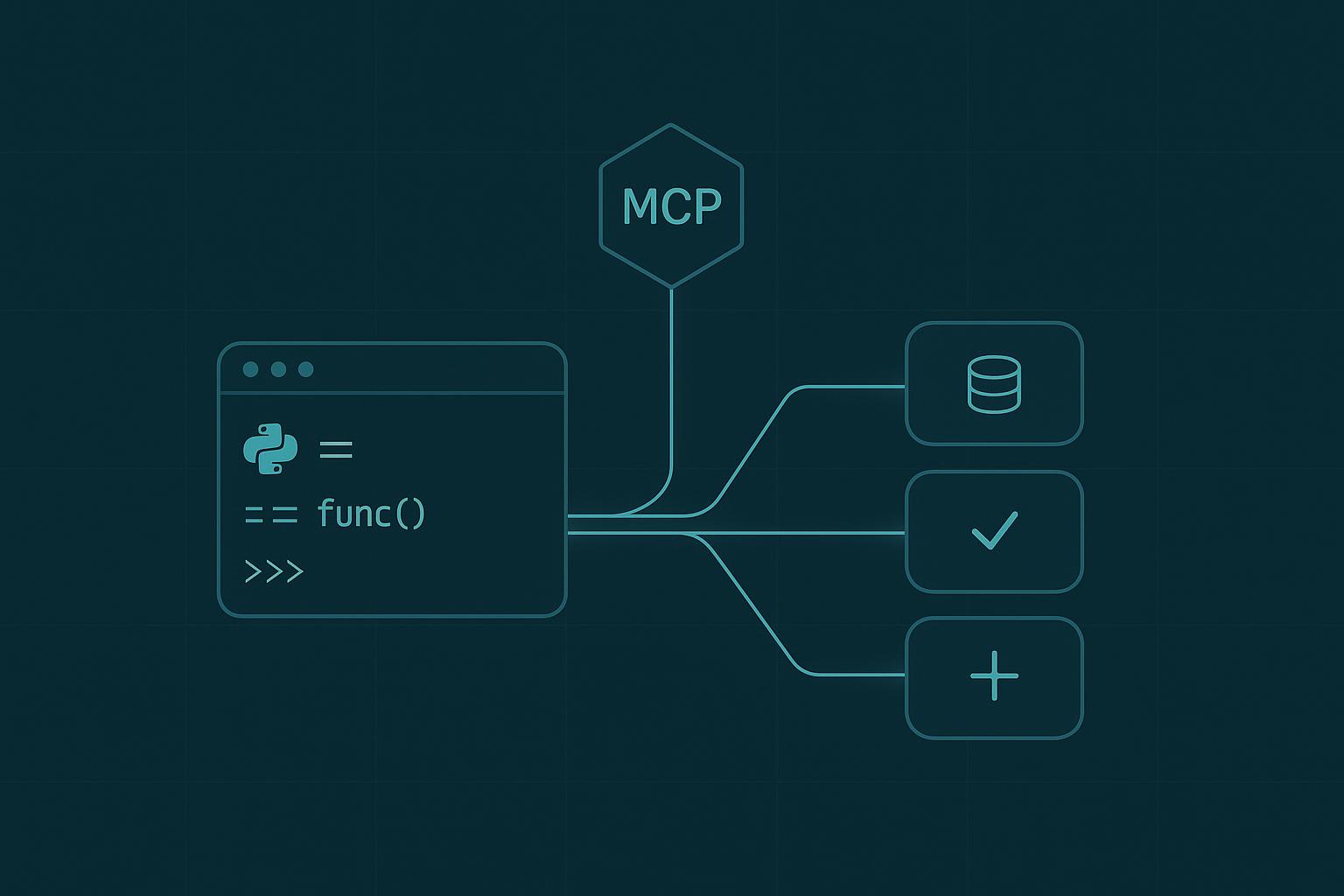
Minimalist dark-teal diagram of a Python terminal linked through an MCP hub to three tool cards
On this page
Quick answer (September 2026). An MCP server in Python is one file: typed, documented functions with a decorator on each. Install the official SDK with pip install "mcp[cli]", create a server object, decorate each function with @mcp.tool(), and finish with mcp.run(transport="stdio"). The SDK builds each tool's schema from your parameter type hints and its description from your docstring, so those two things are what decide whether Claude calls your tool at all. Before you copy any code from anywhere, check which major version of the MCP Python SDK you have, because the import line changed in 2.0 and a lot of published code still shows the 1.x one. This tutorial builds a real, write-capable task server, tests it without Claude for Desktop, and shows the three mistakes that make Claude ignore your tools.
Everything below runs on plain Python 3.10 or newer with the official MCP Python SDK and the standard-library sqlite3 module. No external API keys, no cloud account. If you have never wired a tool onto a Claude agent before, skim give your agent custom tools first, then come back.
Most MCP tutorials wrap a read-only weather or search API. That teaches the plumbing but hides the interesting part: an MCP server can safely change state. Here we build a server that reads and writes a local task list, so Claude can add a to-do, list what is open, and mark things done. Same pattern you would use for a CRM, a ticket queue, or an internal database.
Check which SDK major you have
Do this first. It takes one command and it decides which import line on this page is the right one for you.
bash
python -c"import importlib.metadata as m; print(m.version('mcp'))"
The MCP Python SDK shipped 2.0.0 on 28 July 2026, and a plain pip install "mcp[cli]" has resolved to the 2.x line ever since. The current release is 2.2.0 (7 September 2026). The 1.x line is still maintained on its own branch for critical bug fixes and security patches, and it is also still moving: 1.30.0 shipped on the same day as 2.2.0.
For a server like the one in this tutorial, exactly two things differ between the majors:
Scroll to see more
1.x
2.x
Import
from mcp.server.fastmcp import FastMCP
from mcp.server.mcpserver import MCPServer
Class
FastMCP("tasks")
MCPServer("tasks")
Everything else a beginner server touches is identical on both: @mcp.tool(), type hints becoming the input schema, docstrings becoming the description, mcp.run(transport="stdio"), and the mcp dev and mcp install commands. The code below is written for 2.x, which is what a fresh install gives you.
If you are on 1.x and want to stay there for now, that is a legitimate choice and not a defeat: add an upper bound so a rebuilt container cannot move you across the boundary without warning.
text
mcp~=1.30
That is the compatible-release operator, which means "at least 1.30, and stay on the 1.x major". It is worth preferring over the more obvious form with a less-than sign for a practical reason: an unquoted less-than sign on a shell command line is a redirect, not a version bound, so pip install quietly reads from a file instead of installing what you meant. Then swap the two lines in the table above and the rest of this tutorial runs unchanged.
If you skip this step and run 1.x code on 2.x, the SDK tells you what happened rather than leaving you with a bare import error. from mcp.server.fastmcp import FastMCP raises ModuleNotFoundError from a stub module whose only job is to say "This is mcp 2.x, where FastMCP was renamed to MCPServer" and point at the migration guide. The client side of the same release changed more, and in one case changes behaviour without raising at all: what the 2.0 rename actually broke, and the dropped read timeout that bites covers it.
What is an MCP server, in one paragraph
The Model Context Protocol is an open standard from Anthropic that lets an AI host like Claude for Desktop discover and call your tools. Your server exposes tools; the host is the client that calls them. You write the server once and any MCP-aware client can use it. The MCPServer class, bundled inside the official mcp package, turns a plain Python function into a fully described tool with almost no boilerplate.
What you will build
A tasks server with three tools, add_task, list_tasks, and complete_task, backed by a local SQLite file. Then you will test it in the MCP Inspector and register it with Claude for Desktop.
Prerequisites
Python 3.10 or newer
The official MCP SDK with its CLI extras
Ten minutes
Install the SDK
bash
pip install"mcp[cli]"
The [cli] extra still exists on 2.x and still installs the mcp command, which gives you mcp dev (the Inspector) and mcp install (register with Claude for Desktop). If you prefer uv, run uv add "mcp[cli]" instead.
Create the server
Make a file called tasks.py. The first few lines are the whole framework:
python
# tasks.pyimport sqlite3
from pathlib import Path
from mcp.server.mcpserver import MCPServer
DB = Path("tasks.db")mcp = MCPServer("tasks")def_db(): conn = sqlite3.connect(DB) conn.execute("CREATE TABLE IF NOT EXISTS tasks ("" id INTEGER PRIMARY KEY AUTOINCREMENT,"" title TEXT NOT NULL,"" done INTEGER NOT NULL DEFAULT 0)")return conn
MCPServer("tasks") names the server. _db() is a small helper that opens the SQLite file and makes sure the table exists. Nothing MCP-specific yet.
Add a read tool
A tool is just a function with the @mcp.tool() decorator. The parameter type hints become the input schema, and the docstring becomes the description Claude reads when it decides whether to call the tool.
python
@mcp.tool()deflist_tasks(include_done:bool=False):"""List tasks on the to-do list.
Args:
include_done: If true, also show completed tasks. Defaults to false.
""" conn = _db()if include_done: rows = conn.execute("SELECT id, title, done FROM tasks ORDER BY id").fetchall()else: rows = conn.execute("SELECT id, title, done FROM tasks WHERE done = 0 ORDER BY id").fetchall() conn.close()ifnot rows:return"No tasks found."return"\n".join(f"#{tid} [{'x'if done else' '}] {title}"for tid, title, done in rows
)
That include_done: bool = False hint is what tells Claude the argument exists, that it is a boolean, and that it is optional. Skip the hint and Claude has no idea the option is there.
A note on the missing return annotation. These tools annotate their parameters but not their return value, and that is deliberate. The SDK decides between a plain-text result and a structured one by looking at the return annotation: leave it off and you get plain text, which is what this tutorial wants and what the confirmation strings below are written for. Add one and the SDK publishes an output schema and wraps the value in a result field instead. That behaviour is the same on 1.x and 2.x, so it is not something the migration changed. The one combination that errors is forcing structured_output=True on a function with no return annotation.
Add the write tools
This is the part read-only tutorials never show. Writing from an MCP tool is exactly as easy: you run the mutation and return a short confirmation string so Claude can tell the user what happened.
python
@mcp.tool()defadd_task(title:str):"""Add a new task to the to-do list.
Args:
title: Short description of the task, e.g. "Renew the domain".
""" conn = _db() cur = conn.execute("INSERT INTO tasks (title) VALUES (?)",(title,)) conn.commit() task_id = cur.lastrowid
conn.close()returnf"Added task #{task_id}: {title}"@mcp.tool()defcomplete_task(task_id:int):"""Mark a task as done.
Args:
task_id: The numeric id of the task to complete (from list_tasks).
""" conn = _db() cur = conn.execute("UPDATE tasks SET done = 1 WHERE id = ?",(task_id,)) conn.commit() changed = cur.rowcount
conn.close()if changed ==0:returnf"No task with id {task_id}."returnf"Completed task #{task_id}."
Note the parameterized ? placeholders. Never build SQL by string-formatting an argument that came from a model. Treat tool inputs like any other untrusted input.
Run it
Add the standard entry point and you have a complete server:
python
if __name__ =="__main__": mcp.run(transport="stdio")
stdio means the server talks over standard input and output. That is what local hosts like Claude for Desktop expect: they launch your script as a subprocess and speak MCP over the pipe. Start it with python tasks.py and it will sit and wait for a client.
Test it without Claude for Desktop
You do not need Claude for Desktop to see if the server works, and on Linux you cannot install it yet (as of 2026 it ships for macOS and Windows only). Use the MCP Inspector instead:
bash
mcp dev tasks.py
This launches a local web UI where you can see the three tools, read their generated schemas, and call each one by hand. Add a task, list it, complete it, and confirm the SQLite file changes. If a tool does not appear here, it will not appear in Claude either, so fix it before moving on.
Register it with Claude for Desktop
On macOS or Windows, open the config file at ~/Library/Application Support/Claude/claude_desktop_config.json (macOS) or %AppData%\Claude\claude_desktop_config.json (Windows), and add your server under mcpServers:
Use an absolute path, and make sure mcp is installed in whatever Python that command resolves to (a virtualenv path like /ABSOLUTE/PATH/.venv/bin/python is the safest choice). If you use uv, the official docs recommend "command": "uv" with "args": ["--directory", "/ABSOLUTE/PATH", "run", "tasks.py"]. Fully quit and reopen Claude for Desktop, and your three tools appear behind the tools icon. Ask it "add buy milk to my tasks" and watch it call add_task.
The three reasons Claude ignores your tools
Servers that run fine in the Inspector but get skipped by Claude almost always trip one of these, and none of them changed in 2.0:
Vague or missing docstrings. The docstring is the tool description the model reads. """Handle tasks""" tells Claude nothing. Write what the tool does and when to use it, in plain language.
Loose type hints. The SDK builds the JSON schema from your parameter annotations. def add_task(title): with no hint gives Claude an untyped argument and it will hesitate. Annotate every parameter.
Kitchen-sink tools. One manage_tasks(action, ...) that does five things confuses the planner. Narrow, verb-named tools (add_task, complete_task) get called far more reliably. Split them up.
One more that costs people an hour: Claude for Desktop reads the tool list at launch. After you edit tasks.py, fully restart the app. A reload is not enough.
FastMCP: which one do people mean?
Worth pinning down, because the two meanings now point at different code and community answers routinely blur them.
The official SDK's class. This is what older tutorials, including an earlier version of this one, meant by FastMCP. On 2.x it is called MCPServer and lives at mcp.server.mcpserver. Nothing else about how you use it changed.
The separate fastmcp package.A different project with its own maintainer and its own upgrade path. Advice to "just change your import to from fastmcp import FastMCP" is advice to take on a second dependency, not advice to finish migrating the official SDK. Both are defensible choices. They are not the same choice.
If your traceback names mcp.server.fastmcp, you want the first one. The full server-and-client breakdown is in the migration walkthrough, and the vendor's own migration guide is the reference.
stdio vs HTTP in 2026
stdio is right for a local server that one desktop app launches. If you want a server that runs somewhere else and several clients share, switch the transport:
python
mcp.run(transport="streamable-http")
Same tools, same decorators. The server now listens on a port instead of a pipe. One 2.x detail to know if you are adapting older code: the host and port are keyword arguments to run() for the HTTP transports, not constructor arguments on the server object, so MCPServer("tasks", host=..., port=...) raises a TypeError. Start local with stdio, and move to HTTP only when you actually need a shared, remote deployment.
How the code on this page was checked
Worth stating plainly, because a tutorial that pins a version is making a claim with a shelf life.
The SQLite logic, the tool bodies and the full server file were executed on Python 3.13 and behave as described. The version facts come from PyPI's own release metadata and the release history for the mcp package. The 2.x API surface here was read at source from the published modelcontextprotocol/python-sdk repository at tag v2.2.0, and the 1.x comparisons from tag v1.30.0: the MCPServer constructor and tool() signatures, the run() transport options, the stub that replaced mcp.server.fastmcp, the CLI commands, and the return-annotation behaviour described in Step 3. What was not done is an end-to-end run against an installed copy of the SDK, because the machine this was written on has no package installer. So treat the tool bodies as executed and the SDK call signatures as read from the shipped source rather than exercised.
Where to go next
You now have a write-capable MCP server that any Claude client can drive. Two natural next steps: give the tools to an agent you control instead of the desktop app by following give your agent custom tools, or step back to the fundamentals with how to make an AI agent. When you are ready to expose real systems, keep the same discipline you used here: narrow tools, honest docstrings, typed inputs, and parameterized queries.
Install the official SDK with pip install "mcp[cli]", create a file that imports MCPServer from mcp.server.mcpserver, decorate each function with @mcp.tool(), and finish with mcp.run(transport="stdio"). The SDK builds each tool's schema from your parameter type hints and its description from your docstring. Run mcp dev server.py to test it in the Inspector, then register it in claude_desktop_config.json. That import is the 2.x one, which is what a fresh install has given you since 28 July 2026; on the maintained 1.x line the class is FastMCP at mcp.server.fastmcp.
Is FastMCP still the class I import?
Two different things now share that name. The official SDK's decorator-based server class was called FastMCP on the 1.x line; on 2.x it is called MCPServer and lives at mcp.server.mcpserver. It is still bundled, so pip install "mcp[cli]" is all you need. Separately, fastmcp is an independent package with its own maintainer and its own upgrade path, so changing your import to from fastmcp import FastMCP adopts a second dependency rather than completing the official SDK migration.
Can an MCP server write to a database, not just read?
Yes. A tool is a normal Python function, so it can insert, update, or delete just like any other code. This tutorial's add_task and complete_task tools mutate a local SQLite database. Use parameterized queries and treat every tool input as untrusted, because the arguments come from a model.
How do I test an MCP server without Claude for Desktop?
Run mcp dev server.py to launch the MCP Inspector, a local web UI that lists your tools, shows their generated schemas, and lets you call each one by hand. This works on Linux, where Claude for Desktop is not available as of 2026.
Why does Claude ignore my MCP tools?
The three common causes are vague or missing docstrings (the docstring is the description Claude reads), loose or missing type hints (they become the input schema), and overly broad kitchen-sink tools. Also remember Claude for Desktop reads the tool list at launch, so fully restart it after editing your server.
A runnable 2026 guide to custom tools in the Claude Agent SDK: define functions with tool() / @tool, bundle them into an in-process MCP server, register with allowedTools, and gate risky calls per argument with canUseTool. TypeScript and Python.
The five parts every AI agent has, a runnable Python example in about 40 lines, and an honest guide to the guardrails and framework choices most tutorials skip.
A runnable 2026 tutorial: give an AI agent web search in Python with the Claude web_search server tool. Read citations, cap cost with max_uses, filter domains, and go multi turn.